
Run your project.Like a professional.
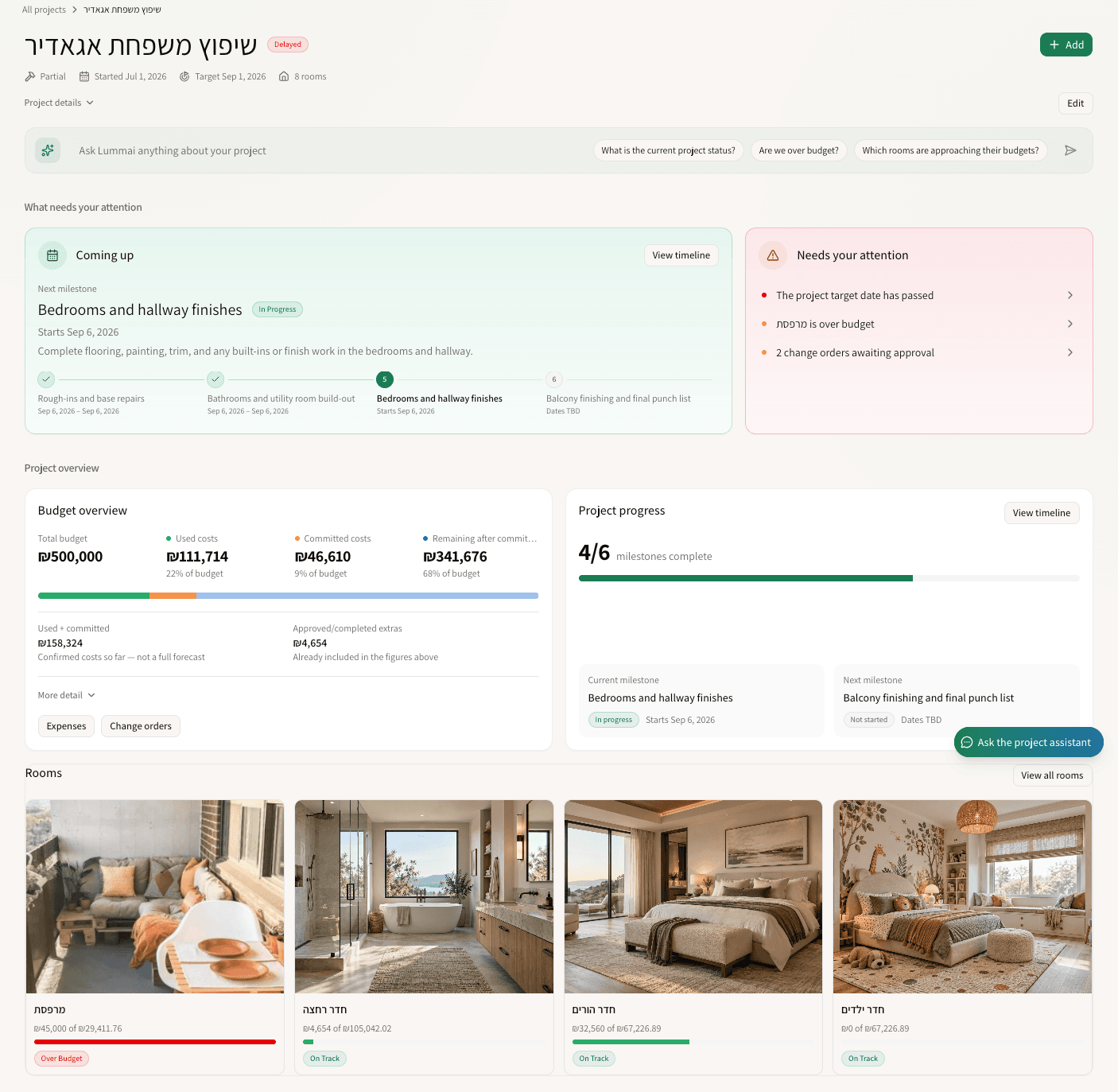
Whether you manage client projects or your own home, keep budgets, plans, invoices, timelines, and decisions in one place - with AI helping along the way.
Early access is open.
Free during our closed beta. No credit card required.
Streamline your workflow
Start with your project
Create your workspace, upload your plans, and let AI help organize rooms, budgets, and the structure of your project.
Let AI handle the details
Upload receipts, invoices, and expense documents. AI extracts the key details and prepares them for your review.
Track everything in one place
Invite clients, partners, or family members to follow progress, review plans, and stay aligned on budgets and timelines.
AI does the heavy lifting. You stay in control.
Budgets are too important for blind automation. AI helps extract key financial details from receipts, invoices, and expense documents — but nothing is added to your official project budget until you review and approve it.
Assign to "Plumbing Fixtures" in Master Bath
Hardware Supply Co. • $312.45
Coming Soon to Lummai
More ways to plan, document, visualize, and control your project from one connected workspace.
Frequently asked questions
Everything you need to know about using Lummai.
Is Lummai for professionals or homeowners?
Both. Lummai is built for interior designers, project managers, and homeowners who want a clearer way to manage renovation, construction, or home improvement projects — from one project to many.
Can I share a project with clients, partners, or family?
Yes. You can invite others to the project and control what they can access, so clients, partners, or family members can stay updated without changing important project details.
How does Lummai help with unexpected costs?
Lummai helps you track changes, additions, and unexpected expenses separately from the original budget, so you can understand how every decision affects the projected final cost.
What is included in the beta?
The first 20 beta users get free access to the core workspace, budget tracking, plan management, AI document extraction, and project sharing tools.
Upgrade your project management.
Join the professionals and homeowners securing their budgets with Lummai. Free during our closed beta.
No credit card required.